Accounts Payable – Zero Wire
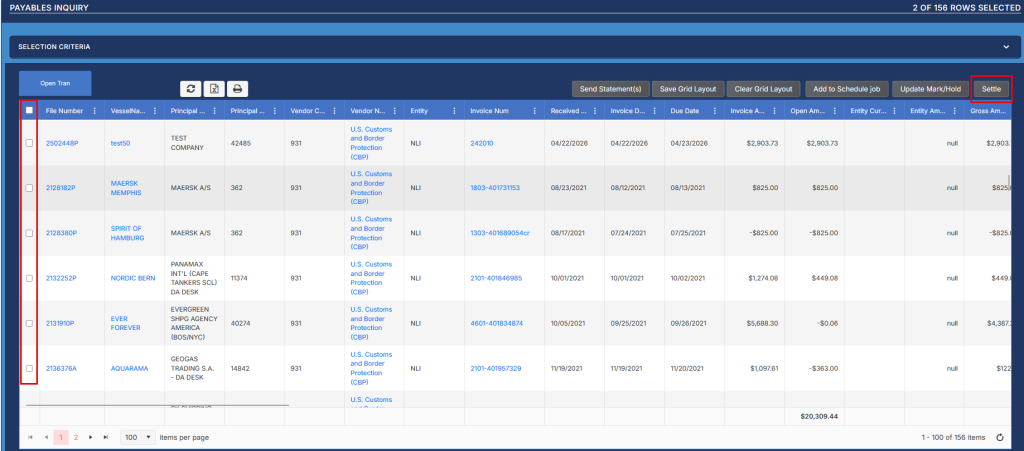
From the Accounts Payable Inquiry Screen users can select offsetting Debits and Credits and click the Settle button to clear these from Open Payables.
In the Selection Criteria choose a Vendor and an Entity, Open Items, then click Refresh.
When the grid loads you can use the check boxes to select the items you want to include in the settlement then click the Settle button.
When you click Settle you will get a pop up screen to fill in the Bank Header Information. Make sure all fields marked with red asterisks are completed. If you are unsure of what values to use please contact the Cash Manager for direction.
After the fields are completed the Post button will be available for you to post the entry and clear the items from Open AP.
